

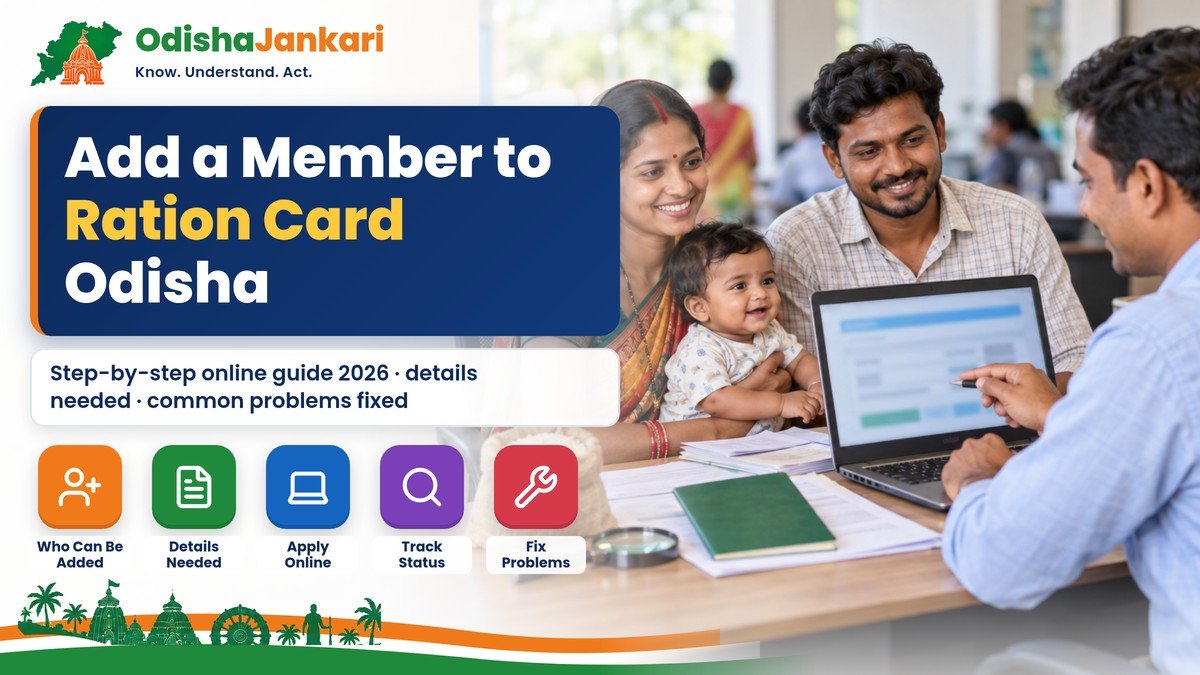
A new baby in the family, a daughter-in-law after marriage, or a member who was left out when the card was made: in all these cases, the person’s name has to be added to your ration card before they can get their share of rice and other benefits. When a name stays missing for months, two common reasons are that the request was never submitted correctly, or that the member’s Aadhaar is still linked to another card.
This guide explains how to add a member in ration card in Odisha using the Food Supplies & Consumer Welfare Department’s official online service, the details you need to keep ready, and what to do if the name is still not added.
Who Can Be Added to a Ration Card?
You can add a person who lives with you and is part of your family but whose name is not yet on the card. Common cases are:
- Newborn child: the most common addition. The form accepts an Aadhaar Enrolment Number if the baby’s Aadhaar has not been issued yet.
- Wife after marriage: she can be added to her husband’s family card. If her name is still on her parents’ card, it must be removed or transferred from there first.
- A family member left out earlier when the card was first issued.
- A member moving from another family’s card, for example after a family separation. The department has a separate “Transfer Member” service for this.
Odisha runs two types of ration cards: NFSA (National Food Security Act) and SFSS (State Food Security Scheme). The department’s Citizen Services page lists an “Addition of Member” option for both, so first check which type your card is.
Details You Need Before You Start
The official “Update Family Members Details” form asks for the following for each new member. Keep them ready:
| Field on the form | What to enter |
| Ration Card No. | Your 11-digit ration card number (for example, 19130120010) |
| Full Name | As written on Aadhaar |
| Gender and Date of Birth | As on Aadhaar or birth certificate |
| Relationship | Relationship with the eldest lady of the family (the head of the card) |
| EPIC No. | Voter ID number, if the member has one |
| Aadhaar No. / Aadhaar Enrolment No. | Aadhaar number, or the enrolment slip number for a child awaiting Aadhaar |
| Father’s Name / Spouse’s Name | As applicable |
| Special Case | Only if a special category applies |
Why the “eldest lady”? Under the National Food Security Act, the eldest woman of the household (18 years or above) is treated as the head of the family for the ration card. That is why every member’s relationship is recorded with respect to her.
It also helps to keep scanned copies of supporting proof, such as the birth certificate for a child or the marriage certificate for a spouse, in case the supply office asks for them during verification. The online form itself does not list required uploads.
How to Add a Member to Ration Card Online in Odisha
- Open the department’s official Citizen Services page and, under NFSA or SFSS, click Addition of Member. You can also go straight to the Update Family Members Details page.
- Enter your 11-digit Ration Card Number and click Get Details.
- Enter the OTP you receive and click Get Report. The current members on your card will be displayed.
- Add the new member’s row and fill in name, gender, date of birth, relationship, Aadhaar (or Aadhaar Enrolment) number and the other fields.
- Tick the consent box for Aadhaar-based authentication. The consent text is in Odia.
- Click UPDATE to submit. Save a screenshot of the confirmation or any reference number shown.
Tip: The page has a keyboard option for typing in Odia (Phonetic, Modular or Inscript). Make sure the spelling of the name matches Aadhaar exactly. Small spelling differences are a common reason for problems during Aadhaar verification.
After Submitting: What Happens Next
Your request is verified by the supply authorities before the name is added. Once approved, the member should appear in your card details. You can then download the updated card from the “Download Ration Card” option on the same Citizen Services page. The department does not state a fixed processing time on these pages, so check back after a few weeks and keep your screenshot safe.
After the name is added, the new member may also need to complete Aadhaar e-KYC (fingerprint authentication) at your fair price shop (ration dealer) to start receiving rations.
Common Problems and How to Fix Them
1. “Aadhaar already exists” or the member cannot be added
This usually means the person’s Aadhaar is already linked to another ration card, often the parents’ card for a newly married woman. The name must first be removed from the old card using Delete Member, or moved using Transfer Member. Both services are on the department’s Citizen Services page. Only then can it be added to the new card.
2. OTP not received
Check that the mobile number linked to your ration card is active. If the number has changed, contact your Block or urban local body supply office, or the grievance helpline below, to get it updated before you try again.
3. Wrong ration card number error
The card number must be exactly 11 digits. Copy it from your printed ration card. Do not add spaces.
4. Name added but rations not received
Confirm that the member has completed Aadhaar e-KYC at the ration shop. You can also check card and beneficiary details on the state’s SMART-PDS portal.
5. Request pending for a long time
Raise a complaint on the Food Supplies & Consumer Welfare Department’s Grievance Redressal System or call the toll-free number 1967. Keep your ration card number, the member’s details and your submission screenshot ready.
Helplines and Official Links
| Service | Details |
| Citizen Services (add / delete / transfer member, download card) | food.odisha.gov.in |
| Update Family Members Details form | pdsodisha.gov.in |
| PDS Grievance portal | grs.pdsodisha.gov.in |
| PDS grievance toll-free | 1967 |
| Consumer Advice Centre (toll-free) | 1800-3456760 |
Frequently Asked Questions
Can I add my newborn baby without Aadhaar?
The official form has a field for an Aadhaar Enrolment Number, so you can enter the enrolment number from the Aadhaar slip if the baby’s Aadhaar card has not arrived yet.
Is there any fee to add a member online?
The official online form does not ask for any payment. Be careful of agents or websites that ask for money to “guarantee” a name addition.
How do I add my wife’s name after marriage?
First get her name removed or transferred from her parents’ ration card. Then add her to your family card through Addition of Member, with her relationship recorded against the head of the card.
Can I do this offline?
If you cannot use the online service, contact your Block office (rural areas) or the urban local body supply office (towns and cities) for help.
Disclaimer: OdishaJankari is an independent information website and is not affiliated with the Government of Odisha or the Food Supplies & Consumer Welfare Department. Steps are based on the department’s official online services as available in October 2026. Portals and rules can change, so always confirm on the official website.
Department: Food Supplies & Consumer Welfare Department, Government of Odisha
Official Portal: food.odisha.gov.in – Citizen Services
Information Verified: October 2026

Not sure which Odisha service you need?
Ask OdishaJankari: Describe your land record, certificate, scheme, or grievance issue.
🔒 Powered by verified OdishaJankari guidelines & official government notifications. No personal data collected.
Related Guides & Services
 Problems & Solutions
Is OBC certificate valid for OPSC?
No, OPSC does not accept an OBC certificate in place of an Odisha SEBC certificate. Get an SEBC…
 Problems & Solutions
Odisha Certificate OTP Not Received 2026: Causes and Solutions for Online Applications
OTP not coming while applying for an income, resident or caste certificate on Odisha e-District? Common causes, quick…