
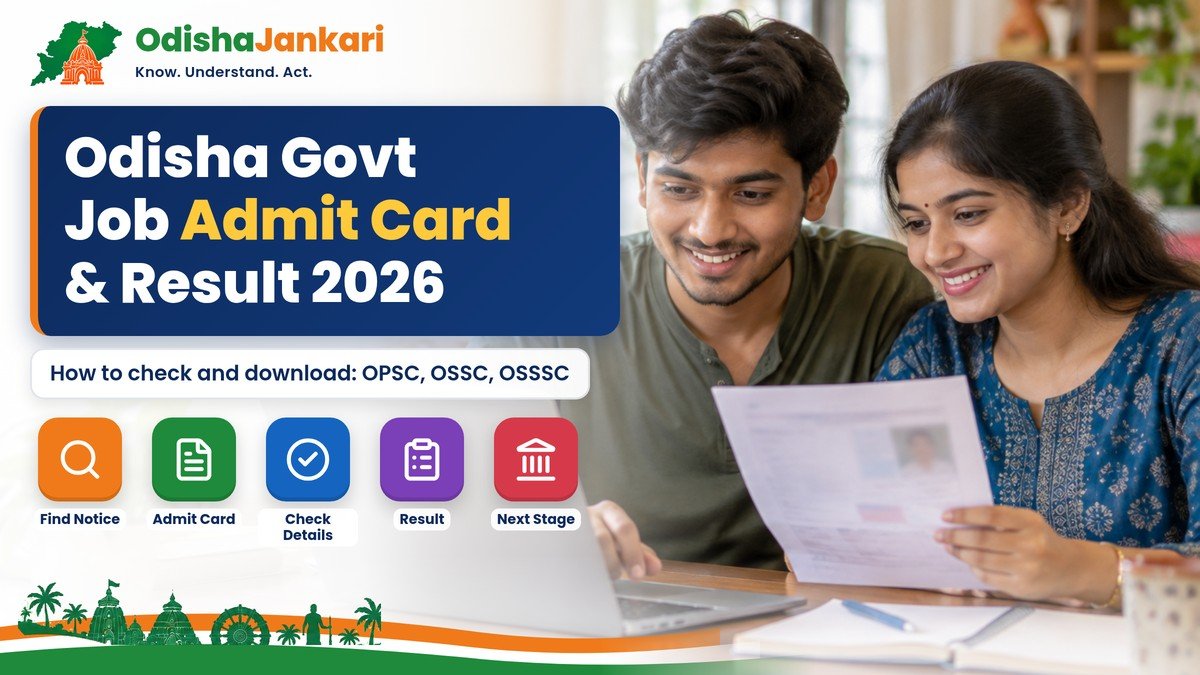
Candidates who are applying for government jobs in Odisha must monitor several stages, from application submission to examination, result publication, and admit card release. Therefore, understanding where to check the Odisha government job admit card and result can help candidates avoid missed updates and deadlines.
Odisha doesn’t use one single portal for every government recruitment. Instead, candidates must follow the official recruitment authority for their examination. For example, they can reach multiple sites such as OPSC, OSSC, and OSSSC to check their admission letters, results, and recruitment notices through their respective portals.
In addition, the official Government of Odisha portal publishes advertisements, including recruitment notices from different departments. Therefore, candidates should always identify the relevant authority before checking their status and downloading the admit card.
Quick Answer
- Odisha has no single result portal: OPSC, OSSC and OSSSC each publish their own admit cards and results on their official websites.
- OPSC: opsc.gov.in (Download Admission Certificate, Results). OSSC: ossc.gov.in (Download Admit Card, Results). OSSSC: osssc.gov.in.
- Keep your registration number, date of birth or login details ready to download the admit card.
- Match the advertisement number on your application with the notice before downloading anything.
- No fixed timeline: each recruitment follows its own schedule, so watch the commission’s website.
Where Official Notices Appear
The first step includes finding the official source for recruitment. Odisha government recruitment updates can appear on the Government of Odisha portal or on the respective sites. For major recruitment exams, candidates can check these official platforms:
- OPSC: The Odisha Public Service Commission site offers advertisements, notifications, admit cards, results, recruitment calendars, and other services.
- OSSC: The Odisha Staff Selection Commission portal offers recruitment notices, upcoming exams, admit card downloads, and results.
- OSSSC: The Odisha Subordinate Staff Selection Commission publishes recruitment news, results, notifications, and admission letters.
- Government of Odisha: The state portal also has an advertisement section where department recruitment notices are published.
However, don’t rely on social media posts; instead, use those platforms to search for any update and then verify from the official portal.
Identify the Correct Recruitment
Determine the valid recruitment before looking for an Odisha government job admit card and result. The fact that the same commission may perform multiple examinations throughout the year makes this step crucial. First, take note of your application or notification’s post name, advertisement number, recruiting year, and examination stage. For example, there can be distinct updates for preliminary exams, major exams, certificate verification, and final selection in an OSSC recruitment. Next, match the information on your application with the advertisement number on the official notice. You can avoid downloading the incorrect admit card or looking at an irrelevant result by doing this quick check.
How to Download the Admit Card
Once the recruiting authority releases the admit card, candidates can download it online. To download an Odisha government job admit card, follow a few steps:
- Visit the official recruitment site.
- Tap on the admit card section or joining letter section.
- Select the recruitment and exam.
- Enter the registration number, DOB, username, or other required details.
- Complete the captcha and submit the data.
- Download and save the admit card; print a copy if necessary.
Before you appear in the exam hall, read the instructions printed on the admit card.
For OSSSC exams, our step-by-step guide on how to download the OSSSC admit card shows the exact menu.
What to Check on the Admit Card
After downloading the admit card, don’t close the page immediately. Look for your:
- Name
- Roll number
- Registration number
- Photograph and signature
- Examination name and date
- Post name and center details
- Reporting time and Examination centre
- Examination instructions
- Documents or identification proof required
Admit Card Not Downloading?
Even after the commission announces the availability of the admit card, a candidate may still be unable to download it. Do not presume that the application has failed in that case. Make sure you are looking at the right recruitment first.
Next, confirm your username, date of birth, registered number, and email. Additionally, see if the commission has released a separate notice for qualified applicants, rejected applications, or acceptance letters tailored to a particular exam.
As a result, candidates should review both the download section and the most recent notification. Instead of sending personal information, use the official technical or administrative contact details if the issue continues.
How to Check the Result
After the exam, the recruitment authority may publish an answer key, results, shortlists, and merit lists and other notices. Therefore, candidates must regularly monitor the site. To check an Odisha government job result online 2026:
- Visit the official recruitment authority.
- Open the result section.
- Find the recruitment number and open the relevant result notice.
- Download the PDF or log in to the candidate account.
- Search the registration details and save the result for future reference.
Merit List and Cut-off Terms
Terms like merit list, cut-off, preliminary result, shortlist, and final selection are frequently encountered by candidates. Depending on the recruitment regulations, these phrases may mean different things.
A result might only show whether a candidate is eligible to move on to the next phase. A merit list, on the other hand, can group qualified applicants based on qualifications, categories, open positions, or other recruitment requirements.
Similarly, a cut-off is a qualifying or selection threshold that is set for a specific stage. Candidates should review the recruiting announcement, as various test requirements may be used by different authorities.
Furthermore, a provisional result does not always indicate that the hiring process is over. Therefore, rather than just looking at your grades or roll number, always read the entire result announcement.
Next Steps After the Result
Check the following step when you check your result.
Candidates may be required to show up for a major exam, skill test, physical exam, certificate verification, interview, counseling, or another stage of selection, depending on the recruitment.
As a result, the recruitment process is not always finished by passing one stage. Candidates should take note of the upcoming deadline and download any relevant notices.
Safely store your application, admit card, results, certifications, photos, identity verification, and other necessary paperwork. Additionally, have digital versions on hand for easy access in the future.
Most importantly, until the authority releases the final selection or appointment-related update, keep watching the official recruitment portal.
Want the full picture of upcoming exams? Read our guides to OPSC recruitment 2026, OSSC recruitment 2026, OSSSC recruitment 2026 and all Odisha government jobs 2026.
Official Links and Helplines
| Commission | Official website | Help (from the website) |
| OPSC (Odisha Public Service Commission) | opsc.gov.in | Administrative: 0671-2305611; Technical: 0671-2304707, 2304141 (10 AM–5.30 PM, office days) |
| OSSC (Odisha Staff Selection Commission) | ossc.gov.in | Technical: 0674-2394466 (10 AM–5.30 PM, office days) |
| OSSSC (Odisha Subordinate Staff Selection Commission) | osssc.gov.in | Technical: 0674-2597149; Administrative: 0674-2597106 |
Disclaimer: OdishaJankari is an independent information website and is not affiliated with the Government of Odisha or any recruitment commission. Information is based on official sources available in November 2026. Rules, amounts and dates can change, so always confirm on the official website before applying.
Department: Odisha Public Service Commission / Odisha Staff Selection Commission / Odisha Subordinate Staff Selection Commission
Official Portal: OPSC, OSSC and OSSSC official websites
Information Verified: 2 November 2026
Frequently Asked Questions (FAQs)
First, apply for the relevant recruitment through its official portal. After that, use the registration details to download the admit card when release. The recruiting portal also notifies you when the result appears online.
The recruitment determines the requirements. Candidates should typically retain their application information, registration number, admit card, proof of identity, photos, certificates of education, and category certificates, if applicable.
Every Odisha government recruitment does not have a set processing time. The timeline varies on the role, number of candidates, examination stages, answer-key process, document verification, and other recruitment requirements.
Verify the recruiting name, advertisement number, registration information, and login credentials first. Next, review the official notice for technical instructions, rejected applications, or eligibility. Contact the relevant commission via its proper assistance channel if the record is still not visible. Do not give out your login information to outside parties.
Visit the individual recruitment authority's official contact information. On their individual websites, OPSC, OSSC, and OSSSC provide administrative or technical contact details.

Not sure which Odisha service you need?
Ask OdishaJankari: Describe your land record, certificate, scheme, or grievance issue.
🔒 Powered by verified OdishaJankari guidelines & official government notifications. No personal data collected.
Related Guides & Services
 Jobs & Careers
Odisha Government Job Document Verification 2026: Documents, Process and Common Mistakes
Called for document verification for an OSSSC, OSSC or OPSC post? Here is what to carry, how originals…
 Jobs & Careers
Odisha Government Job Application 2026: Documents, Registration and Common Mistakes
A simple guide to filling an Odisha government job application in 2026: documents checklist, registration, upload rules, fee…