

Introduction
Now, in Odisha, the checking of land records does not require several visits to the Tahsil office. It has been easier to access land information through online services in Odisha. In 2026, Bhulekh Odisha is the official portal that allows users to check and confirm land rights, land details, land classification and boundaries directly from a plot number.
This guide walks you through conducting an Odisha land record search by plot number, accessing Record of Rights (RoR) data, cross-checking maps on Bhu Naksha, and solving common search issues.
1. What is a plot number?
The land administration in Odisha gives a unique identification number, called the Plot Number (Khasra No.), to each piece of land in a village (Mouza).
| Term | Meaning & Practical Context |
| Hal Plot Number | The latest plot number assigned during the latest land settlement survey. For primary searches always use this. |
| Sabik Plot Number | Plot number used in the past for historical records of settlement. When tracing history of property or older deeds. |
| Khata Number | The account number in which 1 or more plots are combined for the same owner(s). |
2. Information needed before searching
Prior to doing Odisha land record search by plot number on the portal, you should have the following information on hand:
- District Name (District e.g. Khordha, Cuttack, Ganjam)
- Name of the Tahsil (e.g. Bhubaneswar, Jatni)
- Village / Mouza Name
- RI Circle (Revenue Inspector Circle)
- Target Plot Number (Hal Plot Number preferred)
For a basic online search, supporting documents are generally not required. The required location details and plot number are sufficient to view the available record.
3. Step-by-step online search
To find out the details of your land on the Bhulekh portal follow the steps given below:
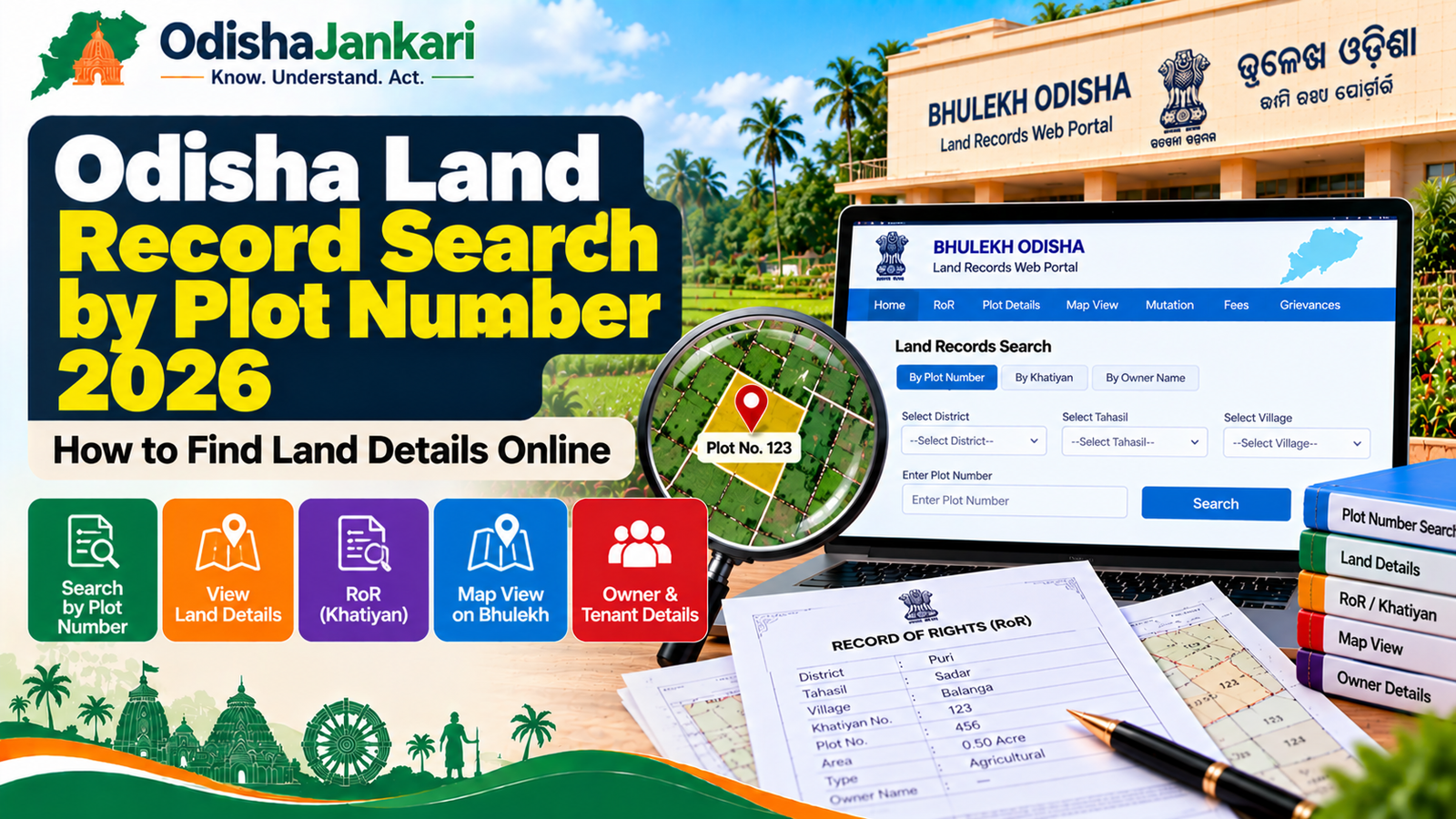
1. Go to the Official Portal:
Go to the official portal by opening the web browser: bhulekh.ori.nic.in.
2. Select Location Details:
Click on your District, Tahsil, RI Circle and Village (Mouza) from the drop down options on the main page.
3. Choose Search Option:
Select Plot Info under the Select Option section.
4. Type in Plot Number & View (e.g. 2013):
Click on your plot number from the drop down menu or enter it. To create the land record, click ROR Front Page or ROR Back Page. In case a certified copy is needed, a user can apply online on the respective government service.
4. How to view owner, area and land type
After the RoR page loads, think of the three major parts of the document:
- Ownership Details (Khatiyan): Displays the name of the tenant (Potta holder), father/husband’s name and ownership share.
- Land Area: A surface area as shown in acres and decimals (and/or hectares). Do a cross-check of this with your sale deed.
- Land Classification (Kisam): This identifies the land use allowed on the land (e.g. Gharabari for residential, Jala for agricultural, Sharada for agricultural, Taila for dry land).
5. How to verify with RoR and Bhu Naksha
Cross-reference with RoR and CAD spatial maps to ensure consistency between the record and what is physically occurring on the ground:
- Go to Bhu Naksha Odisha Portal.
- Click on your District, Tahsil and Mouza.
- Find your plot on the interactive plot map grid or by Plot Number.
- Confirm that there is a gap between the boundary outline, plot dimensions and adjacent plot numbers (north, south, east, west).
6. What if the plot is not found?
If you get “No Record Found” after entering in a plot number, try this troubleshooting checklist:
- Hal vs. Sabik Confusion: If you are searching for active Hal numbers, but you have an old Sabik plot number, check and see if it works. If possible use the Sabik/Hal conversion utility supplied in the portal.
- Pending Mutation Updates: If the land was recently purchased or partitioned, the online database may take time to sync post-mutation approval by the Tahsildar. If a mutation request has been made, verify the status of the application in the application status section.
- Inaccurate RI Circle/Mouza: The RI Circle/Mouza may be the same name in two different RI Circles, in the same Tahsil. Re-check the jurisdiction of RI.
- Government or Unsurveyed Land: Some of the forest areas, institutional lands, or unsurveyed areas do not have digital plot entry and manual verification needs to be done at the local tahsil office archive.
7. Common mistakes
- Wrong Khata Number and Plot Number: If the Khata number is searched in the Plot search field, it will return wrong results.
- Assuming Online RoR is a Legal Deed: The online view is for reference. If you plan to register the property, apply for a bank loan, or use the record in legal proceedings, obtain an officially certified copy signed by the Tahsildar.
- The Land Classification (Kisam): Purchase of land based on plot identification with the record as Jalashaya (water body) or Gochar (grazing land) may cause legal problems.
Department: Revenue and Disaster Management Department, Government of Odisha
Official Portal: Bhulekh Odisha
Information Verified: 21 September 2026
Frequently Asked Questions (FAQs)
It is an online facility available under the Revenue and Disaster Management Department, Government of Odisha. It allows the citizens to check land ownership details, area details and classification of land using land plot number on Bhulekh website.
Visit the website of bhulekh.ori.nic.in and choose District, Tahsil, RI Circle and Village and then click on Plot Info, choose your Plot No and get the details of RoR displayed immediately.
For a simple online viewing, you do not need to upload any documents. You only need the district, Tahsil and Mouza information, followed by the Plot Number.
Online viewing of the records is instantaneous on the site of Bhulekh. The processing of the application for certified physical copies takes 3-7 working days generally after applying through e-District portal.
Check that you are not using the Hal plot number, but rather the Sabik number. If it is a recent mutation, review application status and leave it to the database to update. In case the record is not found even after the mutation is pending, visit Tahsil office along with the original sale deed and sale deed details of the previous khata.
In case of any technical problem in the portal, please check with the Revenue Inspector (RI) of your Mouza or approach any enquiry in your Tahsil office. The information about helplines is also provided on the official Bhulekh portal.

Not sure which Odisha service you need?
Ask OdishaJankari: Describe your land record, certificate, scheme, or grievance issue.
🔒 Powered by verified OdishaJankari guidelines & official government notifications. No personal data collected.
Related Guides & Services
 Land & Property
Odisha Khatiyan Number 2026: How to Find Khatiyan Number Online
Introduction If you want to check your Odisha Khatiyan number for land ownership or RoR details, you can…
 Land & Property
Odisha RoR 2026: How to Check Record of Rights, Khatiyan, Plot and Tenant Details
Odisha land records verification is an important aspect that needs to be done before acquiring any property, availing…