
Introduction
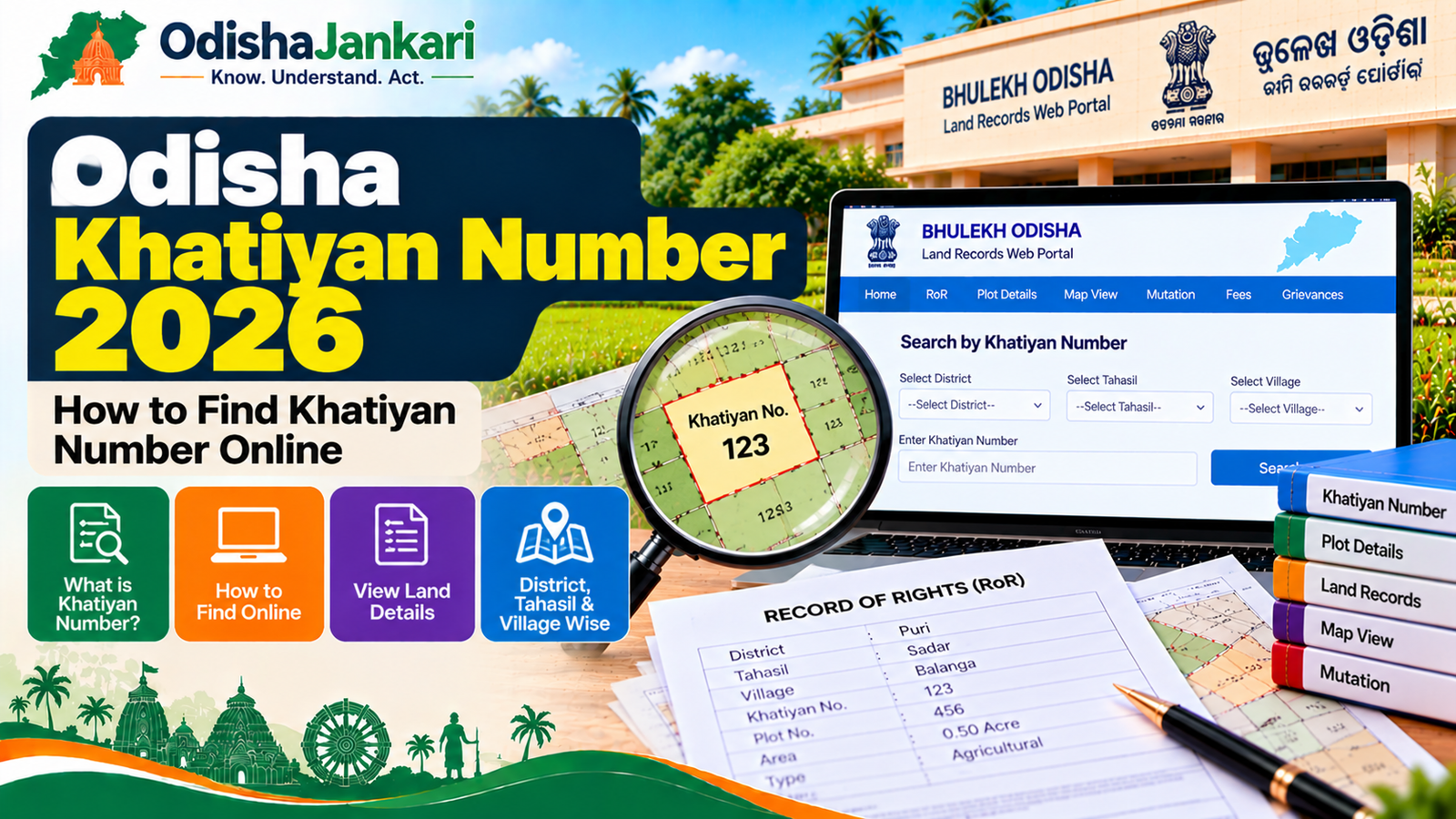
If you want to check your Odisha Khatiyan number for land ownership or RoR details, you can find it online through the Odisha Bhulekh Portal. Additionally, the portal requires basic location details, which are district, Tahasil, and village. By entering all these details, you can search using the Khatiyan, plot, and tenant details available for the land. The following guide explains information such as what a Khatiyan number means, how to search it online, and how to match details with the plot. Most people deal with errors; therefore, we’ll discuss what to do if any information is missing in 2026.
What is a Khatiyan number?
Odisha Khatiyan number is a reference number used in Odisha land records to identify a specific land record associated with a tenant record. It is found in the RoR and used along with other land details, for example, plot number and village.
When someone is checking a property record, the Khatiyan number is helpful because it helps identify the relevant RoR on the Odisha Bhulekh Portal. In addition, the Bhulekh portal offers options to search land details through Khatiyan/plot number or tenant details.
Where it appears in Odisha records
You can find the Khatiyan number in the Record of Rights associated with the land. Odisha’s Bhulekh portal is designed to offer online accessibility to Khata, plot, and tenant details. However, if you already have an old RoR or land document, check for the field referring to the Khata number. Additionally, you should also compare the associated plot number and tenant details. However, if you don’t have any old records, you can search through Bhulekh using the location details of the property.
How to find it online
You can use the official Bhulekh Odisha portal to search for land records. In addition, follow the steps below to get Odisha online services:
- First, open the official Bhulekh Odisha site.
- Tap on the RoR view or land record search section.
- Choose the district where your property is located.
- Pick the relevant Tahasil and village.
- Choose the necessary RI circle (If asked).
- Select Khatiyan as the search option if you are looking for a Khatiyan number.
- In addition, enter the available Khatiyan details.
- Now submit the details, review them on screen and compare them with your documents.
- The official portal currently offers choices such as District, village, Tahasil, and RI circle selections.
District, Tahasil and village selection
Odisha’s land records are organised based on the revenue jurisdiction; therefore, choosing the accurate location is important. However, before starting the search, keep things ready-
- District– Where your land is located.
- Tahasil– Tahasil details under which the property falls.
- Village– The revenue village where the land is recorded.
- RI Circle– Choose the relevant RI circle where the portal needs it.
Note- Don’t select any nearby village because putting wrong information can remove the chances of your plot appearing in the search results. In addition, the Bhulekh user manual instructs users to choose the district, Tahasil, and village when searching RoR details.
How to match Khatiyan with plot details
Searching the Khatiyan number 2026 is part of checking land records. In addition, you must verify whether the plot number and other land details match your documents. Here, check the quick information-
| Check | What to compare |
| Khatiyan | Number shown in the RoR |
| Plot | Plot number associated with the land |
| Village | Whether it matches the property location |
| Tahasil | Whether the revenue jurisdiction is correct |
| Tenant | Whether the recorded details correspond to your documents |
| Area | Whether the recorded land area matches available documents |
If you know the plot number but not the Khatiyan details, Bhulekh also offers plot-based search options. However, the official site confirms that land details can be checked through Plot number/tenant details and Khatiyan number. In addition, you can also use the portal’s Map view to browse plot-related map information after selecting the required details.
What if details are missing or incorrect?
What if the details don’t match the older document? However, in this case, recheck the details such as:
- District selection
- Tahasil selection
- Village name
- Khatiyan/ Plot number
- RI Circle
- Spelling errors in old documents
However, if you find the status shows incorrect or you can’t locate the record, talk with the concerned Tahasil office or authorities handling the respective role.
The Bhulekh portal’s help sections have details of higher authorities such as the Director, Land Records & Survey, Board of Revenue, Cuttack. In addition, it also provides the PMU contact details for residents to further help.
However, if you need an official certified document rather than only viewing the record online, prefer Odisha e-District’s Certified Copy of RoR service. Visit the Revenue and Disaster Management official site where this service is listed. You can apply online or through a Kiosk.
Khatiyan vs plot number vs RoR
All these terms are correlated but should not be treated as the same. Take a look below-
| Term | What it refers to |
| Khatiyan number | Reference number associated with the land record |
| Plot number | Number identifying a particular land parcel |
| RoR | Record of Rights containing recorded land information |
For example, when checking a property, you can enter the Khatiyan number to detect the relevant record and then check the plot number and tenant details shown in the RoR. Therefore, it is good to compare multiple details rather than relying on a number.
Department: Revenue and Disaster Management Department, Government of Odisha
Official Portal: Bhulekh Odisha – Land Records Web Portal
Information Verified: 16 September 2026
Frequently Asked Questions (FAQs)
A reference number linked to a land record in the state's Record of Rights is known as an Odisha Khatiyan number. Additionally, it can be used together with geographic information to access relevant land information on the Bhulekh Odisha portal.
By choosing the District, Tahasil, and Village details you can view current land-record details via the official Bhulekh Odisha portal. Instead of submitting a separate application for a new Khatiyan number, it is typically an easy search procedure.
The Bhulekh search requires relevant land details, such as the District, Tahasil, and Village, to examine a current RoR online. In addition, identity verification and papers related to land records are among the requirements for obtaining a certified copy of the RoR via e-District.
Using Bhulekh is the best portal to check the existing land record. In addition, the specified service delivery time, excluding government holidays, is three days if you apply for a certified copy of the RoR through Odisha e-District.
Verify the details of the District, Tahasil, Village, RI Circle, and Khatiyan or plot once more. In addition, get in touch with the relevant Tahasil office or the land-record authority if the information is still missing or inaccurate. Contact information for reporting inconsistencies can be found in the Bhulekh assistance section.
You can get in touch with the relevant Tahasil office if you have issues with Odisha land records. In addition, the Bhulekh site offers contact details for the Director, Land Records & Survey, Board of Revenue, Cuttack, in case of additional help.

Not sure which Odisha service you need?
Ask OdishaJankari: Describe your land record, certificate, scheme, or grievance issue.
🔒 Powered by verified OdishaJankari guidelines & official government notifications. No personal data collected.
Related Guides & Services
 Land & Property
Odisha Land Record Search by Plot Number 2026: How to Find Land Details Online
Introduction Now, in Odisha, the checking of land records does not require several visits to the Tahsil office.…
 Land & Property
Odisha RoR 2026: How to Check Record of Rights, Khatiyan, Plot and Tenant Details
Odisha land records verification is an important aspect that needs to be done before acquiring any property, availing…