
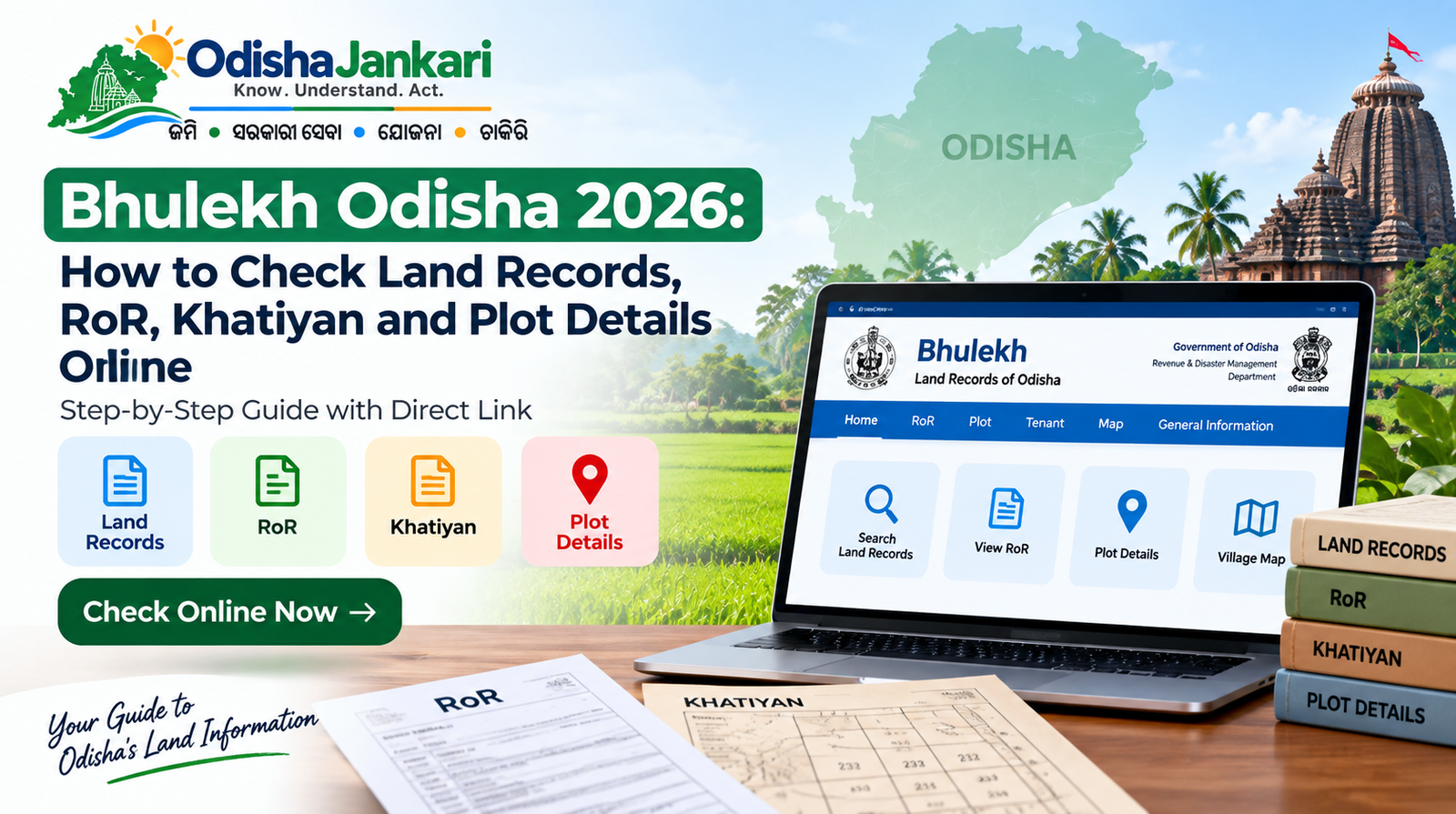
Land records are essential for verifying details related to a property, including the recorded owner or tenant, plot details and land particulars. In Odisha, citizens can easily access such records online through Bhulekh Odisha, which is the state’s land-records portal.
| Link to the official site: https://bhulekh.ori.nic.in/RoRView.aspx. |
What is Bhulekh Odisha?
Bhulekh Odisha 2026 is the official online RoR system maintained by the Revenue and Disaster Management Department, Government of Odisha. The portal offers digital access to the Record of Rights for all land parcels across the state, covering all 30 districts and over 300 tehsils.
Through the Bhulekh Odisha portal, users can view information related to the Record of Rights, Khatiyan, plot, and tenant details. Land records can be searched using information like district, tahsil, village, Khatiyan number, plot number, etc. The portal also offers access to map information for land parcels.
What Information Can You Check on Bhulekh Odisha?
Bhulekh Odisha offers access to multiple important land-related details. Depending on the available record, users can search and review information related to the following factors listed here.
RoR Details
The Record of Rights contains important information related to landholding. It includes details related to the recorded tenant and land particulars maintained in the official record.
Khatiyan Details
Odisha Khatiyan is an essential land record reference used to verify landholding details. Users can search the Odisha land record by choosing the relevant location and entering the Khatiyan number.
Plot Details
Through Odisha plot details, users can check information related to a specific plot using their plot number. This can help you in identifying the land parcel and reviewing the details recorded against it.
Tenant Details
Bhulekh allows users to search available land records through tenant details. This makes it easier for you to locate a record when the Khatiyan or plot number is not readily accessible.
Rent and Cess Details
The Bhulekh Odisha RoR includes recorded data related to rent and cess applicable to the land. Such details can be reviewed as part of the available land record.
Land Map
The Bhulekh Odisha portal also allows you to map information for land parcels. Users can easily use the MapView feature to view the available land map details for a preferred location and plot.
How to Check Land Records on Bhulekh Odisha?
When it comes to how to check Bhulekh Odisha land records online, it emerges as a reliable and efficient solution. It offers a seamless way to access and verify crucial plot details. Here are the steps that you must follow to check your land records.
- Open Bhulekh Odisha: Visit the official Bhulekh Odisha website to access all the necessary details.
- Select District: Scroll through and select the district where the land is located.
- Select the Tahasil: Select the relevant Tahasil from the options available on the official site.
- Select the Village: Choose the village in which the land is situated.
- Select Search Option: Pick whether you want to search using Khatiyan, plot or tenant details.
- Enter the Details: Enter or select the necessary Khatiyan number, plot number or tenant data, as per the search option you have chosen.
- Click on View RoR: Submit all your details to access the Bhulekh Odisha RoR.
- Check the Displayed Record
Assess the available land details, including information recorded against the preferred landholding or plot.
The following approach makes it easier for Odisha citizens to check land details online using the data available to them.
How to Check Odisha Land Records by Plot Number?
To verify Odisha land records by plot number, you need to open the Bhulekh Odisha portal and pick the relevant District, Tahasil, and village. Choose the Plot search option and enter the plot number. Next, you need to click on View RoR. The available Record of Rights and plot-related details will be displayed precisely.
How to Check Khatiyan Details in Odisha?
If you are thinking about how to check Khatiyan in Odisha, firstly you need to select the relevant district, Tahasil, and village on the portal. Choose Khatiyan as the search option and select the needed Khatiyan number. Next, you need to click on View RoR. This allows you to review the land records associated with the chosen Khatiyan.
How to View Odisha RoR Online?
If you want to know how to view RoR in Odisha, you can view it through the Bhulekh portal by picking the location of the land and searching through the available Khatiyan. Once the needed details are selected, click View RoR to access all the available records. For a more detailed understanding of the data contained in the Records of Rights, users can also refer to the dedicated Bhulekh Odisha portal.
How to Check Odisha Land Map Online?
Users looking for map information can use the MapView feature available through the land records system. After selecting the relevant location and plot, the map information can be reviewed online. For more detailed information, you can explore Bhu Naksha and the related land map service.
Is Bhulekh Odisha Land Information Updated?
The Bhulekh portal states that its online land information has been upgraded. Citizens can review the available land records online, and you don’t need to make a physical visit to check the details displayed on the portal.
However, users should understand that viewing an online record and completing a legal land-related process are different. For services related to changing the land records, like ownership updates, users need to follow the official procedure. For more details, you can go through the Odisha Mutation guide.
Common Problems While Checking Bhulekh Odisha
| Problem | What to Do |
|---|---|
| Wrong Name | Check whether the correct district, tahasil, village and search details have been selected. |
| Missing Plot | The plot may not appear if the selected location or plot number is incorrect. |
| Incorrect Khatiyan | Verify the Khatiyan number before searching for the land record. |
| Record Not Found | Try another available search option, such as Plot or Tenant details. |
| Map Unavailable | Map data may not be available for every selected land record. |
| Village Not Appearing | Make sure the correct District and Tahasil are selected before searching for the village. |
| Need Land Services | For other land-related services, visit the Land Services Hub. |
Bhulekh Odisha 2026 FAQs
Bhulekh Odisha is the Odisha government’s online portal for accessing land records, including your Khatiyan, RoR, plot, tenant, and other map details.
Yes, your available land records can be verified using tenant details on the Bhulekh portal. However, it completely depends on the information recorded in the system.
Yes, you need to select the district, Tahasil and village, and choose the plot as your search option. Further, you can enter the relevant plot number for further details
Khatiyan is a land record reference that contains details related to a landholding and is used to verify associated land records
RoR, or Record of Rights, is an official land record that contains details related to tenants, landholding, plot, along with rent and cess.
Yes, available land map data can be viewed online through the MapView feature after selecting the necessary location and plot.
Yes, the Bhulekh Odisha portal offers an Odia language option. This approach allows users to access and explore land records effectively without any fuss.

Not sure which Odisha service you need?
Ask OdishaJankari: Describe your land record, certificate, scheme, or grievance issue.
🔒 Powered by verified OdishaJankari guidelines & official government notifications. No personal data collected.
Related Guides & Services
 Land & Property
Odisha RoR 2026: How to Check Record of Rights, Khatiyan, Plot and Tenant Details
Odisha land records verification is an important aspect that needs to be done before acquiring any property, availing…
 Land & Property
Odisha Land Conversion 2026: How to Convert Agricultural Land to Non-Agricultural Use
Introduction When you are a land owner in Odisha and you want to construct a house, a shop…